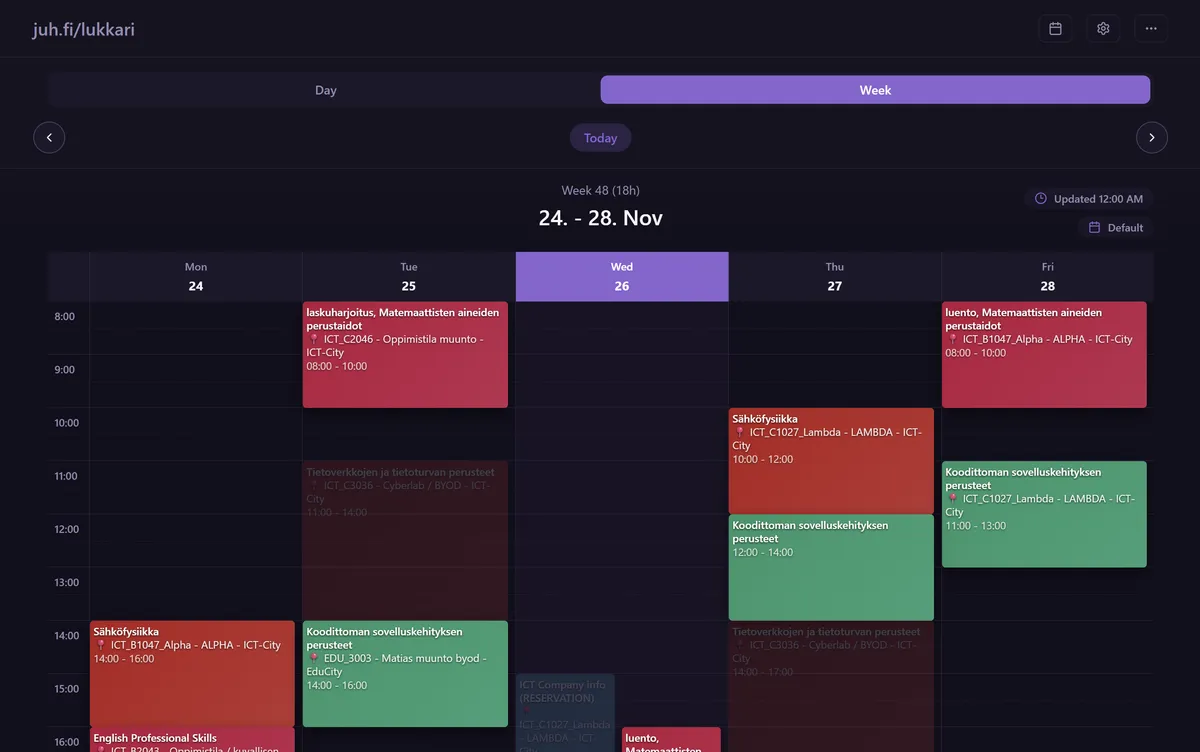
This September I launched Open Lukkarikone, a 3rd party timetable viewer for Turku UAS students. There’s some fun tricks and technical decisions behind the app that I wanted to share.
lukkarikone 4
First, we need to look at Lukkarikone 4 - the timetable system that Turku UAS relies on. Lukkarikone 4 seems to be widely used across Finnish universities. Here’s a basic overview:
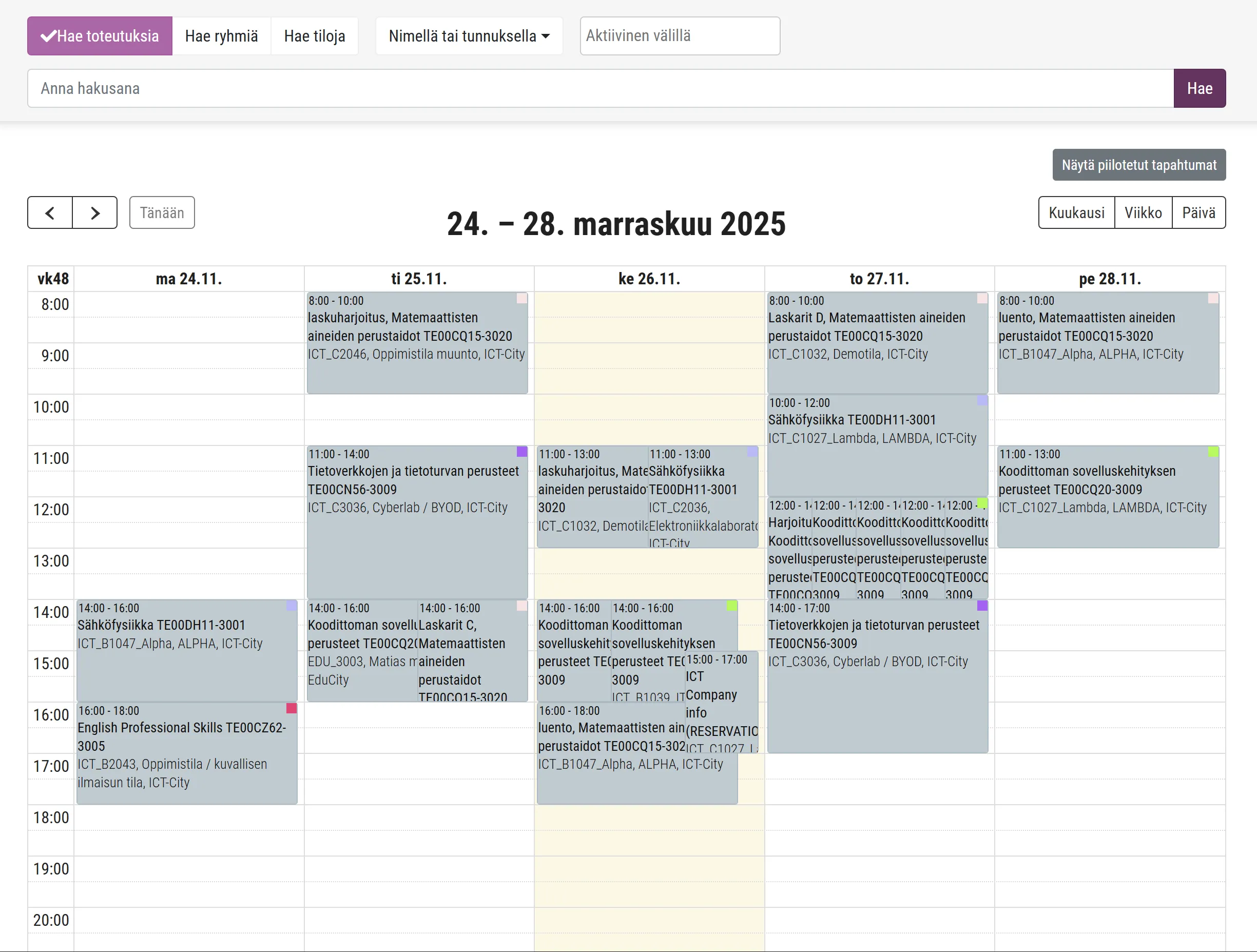
The interface is functional. The forced light mode is what it is. But my personal gripe was entirely logistical: the system could not stay open for longer than around 30 minutes, after which you would need to relogin. While the service can be used without logging in, logging in is ultimately the most convenient way to use it. And that’s a bummer.
Is that login timeout really necessary? What if I could just log in once, and have the app remember me forever? I thought of it as a fun challenge - to create a 3rd party app that could simply be more convenient (and perhaps offer some utilities on the side).
Turns out that Lukkarikone 4 offers iCal feeds for timetables, making the project officially feasible. Open Lukkarikone would be a client / viewer for these iCal feeds, removing the need for constant logins.
Quick rundown of iCal ▶
iCal (iCalendar, Internet Calendar) is a standardized file format (extension .ics) for exchanging calendar data such as events, reminders, and schedules between apps and services.
The format became an Internet Engineering Task Force (IETF) standard in 1998 as RFC 2445. RFC 5545 (2009) & RFC 7986 (2016) would go on to update and extend the standard.
Fun fact: iCal is not to be confused with Apple’s calendar application, which was called Apple iCal until 2012. They really did hijack the name for brand convenience. Whoops!
ui/ux
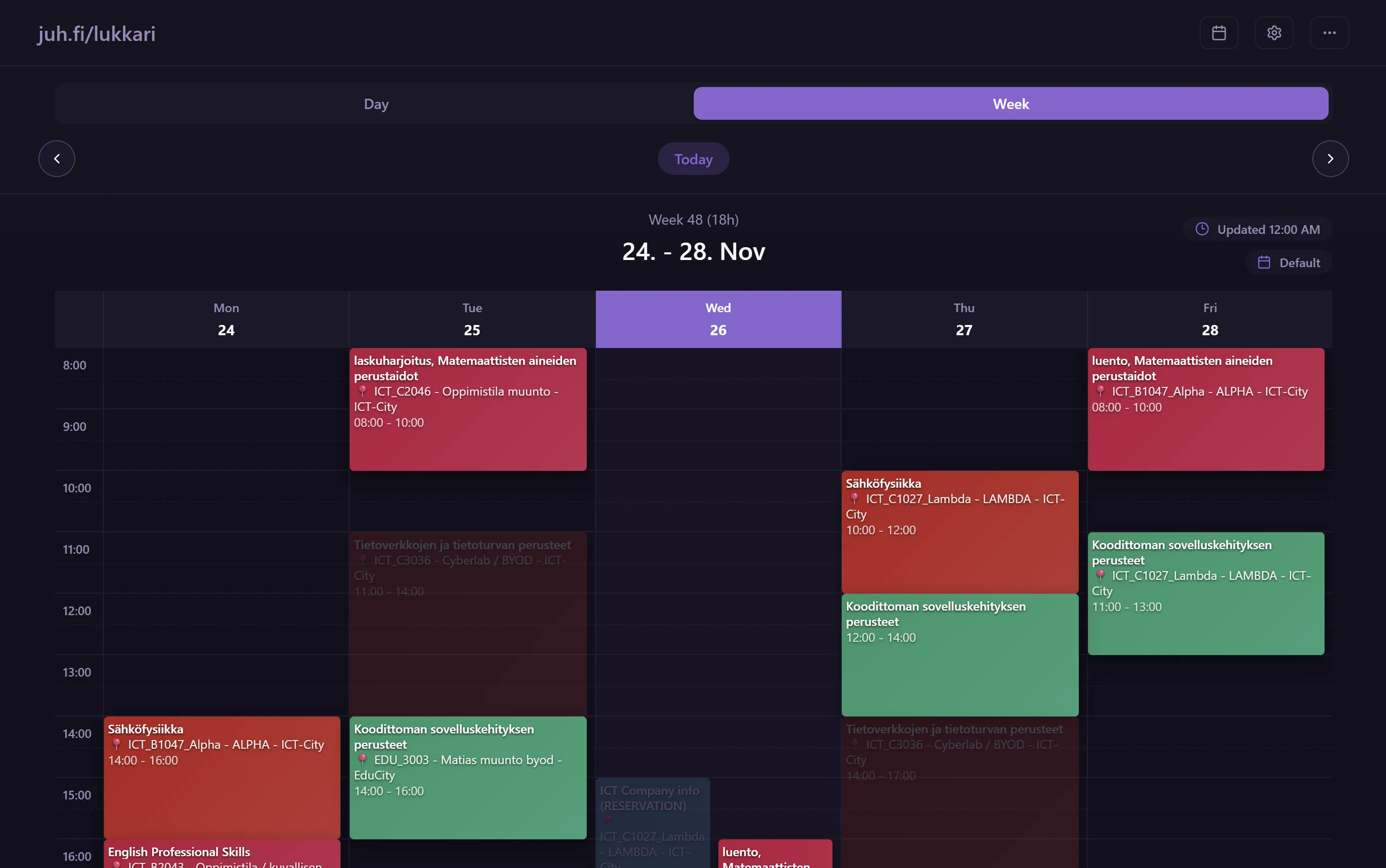
We’ve now observed the elaborate motivations behind the project. Let’s look at some of the UI/UX decisions. Here’s the current interface, after a couple months of iteration:
design philosophies
My main philosophies behind designing software interfaces generally formulate around a single principle:
The user should be respected at all times at all costs.
All other guiding principles derive from this one. How would you like to be treated as a user?
- Provide the user with all the necessary tools to achieve their goals in the most efficient manner possible.
- Do not distract the user from their goals.
- Provide visual clarity and hierarchy. Allow the user to quickly parse information in a glance.
- Systems should feel natural and intuitive to use. Everything needs to just make sense. Not having to explain things explicitly saves time and effort for all parties involved.
- Allow the user to tailor the experience to their own preferences as much as possible. Autonomy provides comfort and further efficiency.
The person accessing the site is there for a specific reason. The site is a tool for them to achieve specific goals. A tool needs to do its job as efficiently as possible without getting in the way. There should be as few distractions as possible, and all the focus is on the content itself.
color scheme & efficiency
I am personally far more comfortable working with dark mode interfaces as I find it easier to control contrast and focus. Therefore, the decision to design the theme around it was obvious. There is technically a light mode - which we will not be looking at.
The primary color in this specific theme is a bright purple. It’s used twice in this interface - to highlight the user’s ability to switch between view modes, and to highlight the current day. These are the two most important elements I wished to highlight.
As for efficiency - I felt like color coding latest posts the lectures based on the course would only be reasonable. The color codes make it possible to simply throw a glance at the view and immediately get a far better understanding of the schedule, even without reading any text.
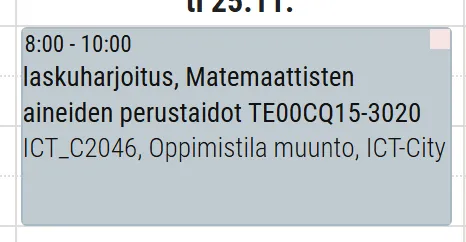
Color is one of the simplest and most effective ways to communicate information quickly. Lukkarikone 4 acknowledges this as well by attempting some vague color coding, although I felt as if their solution of a little stamp of color in the corner of the event was insufficient to work in their favor.
One of the first realizations I had when concepting the app was that we would be working with very cramped screens. There’s a lot of text that you have to show. Some of that could probably be cut down.
For one, the entire course / realization ID is displayed in full on each lecture block. Can probably cut that and hide it behind the tooltip. There’s also a settings toggle to add it back - if you’re into that?
There’s still a lot of UI work I want to do, some design refinements to systems I’m not happy with. I am not an expert designer, but I have a decent understanding of the principles behind good design. It’s an ongoing process.
technical details
stack
The application is built with my older go-to stack of React + TS, Vite, Tailwind & React Router w/ Zustand. The approach for this app was to just be a simple client-only data viewer. No server-side rendering or anything fancy like that. Maybe some day!
optimizations
Let’s look at some optimizations:
Lukkarikone 4 triggers a loading screen of around 400ms every time you switch between views (day / week / month) or change the date. This is done to ensure that the shown data is always fresh and up to date. Fair enough. Let’s compare that to Open Lukkarikone:
We’re faster! This is done by keeping all the calendar data in memory - this is an acceptable practice since we’re dealing with such a small amount of data. We also immediately load from local browser cache when the page loads - even faster load times.
This might be raising a few questions:
The data is being served from cache. What if the data changes?
Good point. Hm, we could request the entire calendar feed every time the user refreshes the page. But that’d be wasteful. Let’s simplify this problem by really laying it down:
How can we ensure that the user is viewing the latest server data whilst minimizing data usage and maximizing speed?
We must communicate with the server in some way to check if the data has changed. Here’s the approach that Open Lukkarikone takes:
- When the user opens the page, it calculates a hash of the currently stored calendar data.
- It then requests that the server provide the latest hash of the up-to-date calendar data.
- The server sends the cached hash of the latest, up-to-date calendar data back to the client.
- If the hashes match, we know that the data is up to date. If they don’t, we request the full calendar data again and update our cache. This is done in the background, so the user experience is not interrupted. The load times are fast enough for the user to not even notice.
This approach minimizes data usage since we’re only requesting a small hash string instead of the entire calendar data every time. Calendar updates aren’t that frequent, and are handled by the proxy server that fetches the iCal feed from Lukkarikone every once in a while.
the future
Lukkarikone 4 is a scheduling viewer that’s in use basically everywhere in Finland. Open Lukkarikone is built on top of the iCal feels that are standardized across all Lukkarikone 4 instances. Therefore, in theory, Open Lukkarikone could be used by students everywhere.
Perhaps I’ll expand! I do want to get a couple more features in first - like the mobile app (PWA) experience.
There’s always room for improvement. Thanks for using Open Lukkarikone! (if applicable.)